Spurbets Kenya guide
Spurbets Registration
The Spurbets registration form has three fields and one checkbox. When I counted them, I realized sign-up takes less effort than topping up airtime. There is no email field, no name field and no ID upload. After you press the green button, KSh 20 lands in your balance without a deposit. Here is each part of the Spurbets sign-up and the details that are worth checking along the way.
- Licence
- BCLB BK0000687
- Free stake
- KSh 20
- Deposit from
- KES 100
- Support
- 24/7
01Requirements for a Spurbets Account
To open a Spurbets account, you need to be 18 or older and have a phone number that supports M-Pesa. Each player can have one account.
| Requirement | Detail |
|---|---|
| Age | 18 years or older |
| Phone number | Active, with M-Pesa support |
| Number of accounts | One per player |
| Email or ID at sign-up | Not required |
| Currency | KES |
Spurbets operates in Kenya under BCLB licence BK0000687. The BCLB (Betting Control and Licensing Board) is the state body that licenses betting operators in Kenya.
Minimum Age of 18 Years
Spurbets accepts only players aged 18 and over. The registration form has an age confirmation checkbox. You cannot create an account without ticking it.
The rule comes from the Kenyan licence. Spurbets also states it in its responsible gambling section. Betting is for adults only.
M-Pesa Supported Phone Number
Your Spurbets account is built around a phone number with M-Pesa support. That one number does three jobs:
- It is your login.
- It receives your withdrawals.
- It qualifies you for the KSh 20 Welcome Stake.
Use your own Safaricom line, the one you use every day. Payouts go only to the registered number.
One Account per Player
Spurbets allows one account per player. Spurbets can cancel offers or withhold winnings when it detects abuse of promotions, such as multiple accounts.
One account keeps everything in one place. Your balance, bonuses, cashback and bet history are all on it. You can use that account on a computer, a phone and in the Android app.
02Register Button Location on the Spurbets Website
The Register button is the green button in the top right corner of every Spurbets page. It sits next to the Login button inside a dark rounded frame.
I found it in the same place on every screen I checked:
| Screen | Register button |
|---|---|
| Desktop homepage | Top right, green, right of Login |
| Mobile homepage | Top right, green, right of Login |
| Promotions page | Same frame in the header |
| Game lobbies | Same frame in the header |
Because the button is in the header, you can start registration from any section. You can also get there from the login form. Under its title, the line "Don't have an account? Register" links to the sign-up form.
03Spurbets Registration Form Fields
The registration window is titled "Create your account". It has three fields: Phone Number, Password and Confirm Password. Below them sit one checkbox and a green Play now button.
Under the title, the line "Already have an account? Login" switches to the login form. A round X button in the top right corner closes the window.
Phone Number Format 0700 000 000
The Phone Number field shows the placeholder 0700 000 000. Enter your number in the same 10-digit format, starting with 0.
- Tap the Phone Number field.
- Type your M-Pesa number, for example 0712 345 678.
- Check that there are no extra spaces at the end.
This number is your future login. Write it exactly as you will type it every time you log in.
Password and Password Confirmation
You create a password in the Password field and repeat it in the Confirm Password field. Both entries must match.
Each field has an eye icon on its right side. When I tapped the eyes on both fields, I could compare the two entries side by side before submitting the form.
| Field | Placeholder text | What to enter |
|---|---|---|
| Password | Enter your password | A new password |
| Confirm Password | Re-enter your password | The same password again |
Choose a password that is different from your M-Pesa PIN. Use at least 8 characters and mix letters with digits.
Terms of Service and Privacy Policy Checkbox
The last element of the form is a checkbox with the text "I am 18+ and have read and accept the Terms of Service and Privacy Policy". You must tick it before you press Play now.
The words Terms of Service and Privacy Policy are green links. They open the full documents with the account rules and the data policy. After you tick the box, press the green Play now button. The account is created, and you are logged in right away.
04Account Verification After Registration
Account verification confirms that the account and the phone number belong to you. Spurbets requires it before your first withdrawal. You can play and deposit while verification is pending.
The table below shows what a new account can do before and after verification:
| Action | Before verification | After verification |
|---|---|---|
| Play with the KSh 20 Welcome Stake | Yes | Yes |
| Deposit through M-Pesa | Yes | Yes |
| Bet on sports and casino games | Yes | Yes |
| Withdraw winnings | No | Yes |
Phone Number Confirmation
Spurbets links your account to the phone number you entered. That number must be active and yours.
Keep the phone with you during sign-up. Then you can complete any confirmation step right away. A number that belongs to a friend or a relative causes problems later. Withdrawals go only to the registered number.
Verification Before the First Withdrawal
Spurbets processes withdrawals once the account is verified. Payouts go to the registered M-Pesa number. The minimum withdrawal is KES 100.
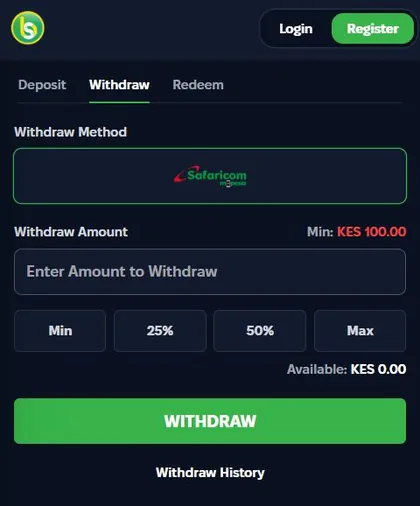
Complete verification early, before you plan your first cash-out. Then the payout reaches your M-Pesa without extra steps.
05Free KSh 20 Welcome Stake After Sign-Up
Spurbets adds a KSh 20 Welcome Stake to your balance right after registration. You do not need to deposit for it. This kind of offer is called a no-deposit bonus.
- Register on spurbets.com.
- Open your profile and check the wallet balance.
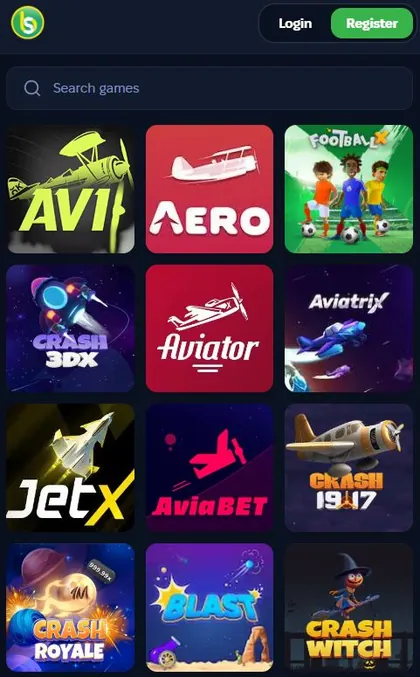
- Use the KSh 20 on crash games, casino games, virtuals or roulette.
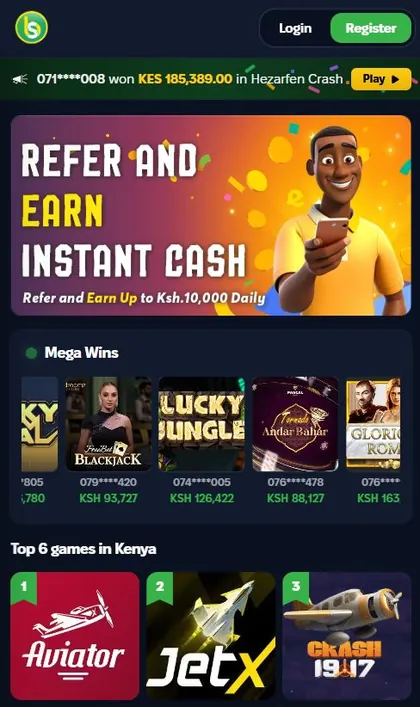
The stake works on Aviator. Aviator is the first game in the Top 6 games in Kenya list on the homepage. New accounts also get 10% daily cashback on lost bets and a chance to share KSh 100,000 in daily Aviator freebets.
06First Deposit After Registration Through M-Pesa
Your first Spurbets deposit goes through M-Pesa in the Deposit tab of the wallet. The range is KES 100 to KES 150,000 per transaction.
On the Deposit tab, the Safaricom M-Pesa logo is already selected in a green frame. The amount field is labelled "Deposit Amount (100 - 150,000 KES)".
- Open the wallet and stay on the Deposit tab.
- Enter an amount, or tap a quick tile.
- Press the green DEPOSIT button.
- Confirm the payment on your phone with your M-Pesa PIN.
The quick tiles show KES 50, 100, 200, 250, 300 and 500. The KES 50 tile is below the KES 100 minimum, so start with KES 100 or more. After the payment, the Deposit History link under the button shows its status.
07Registration Errors and Their Causes
Most Spurbets registration errors come from three parts of the form: the phone number, the password fields and the checkbox.
| Error | Cause | Fix |
|---|---|---|
| Number not accepted | Number already registered | Log in instead |
| Passwords do not match | Different text in the two fields | Compare both with the eye icons |
| Play now does nothing | Checkbox not ticked | Tick the 18+ box |
Phone Number Already Linked to an Account
If your number already has a Spurbets account, you cannot register it again. This usually means you signed up earlier and forgot about it.
- Close the registration form.
- Click Login.
- Enter the number and your password.
- If you do not remember the password, tap Forgot Password.
Password Mismatch in the Confirmation Field
If the two password fields do not match, the account will not be created. On a phone, the usual cause is an automatic capital letter or a trailing space.
Tap the eye icon on both fields. Compare the two entries character by character. Retype the second one if needed, then press Play now again.
Unticked Age and Terms Checkbox
If Play now does nothing, check the checkbox under the password fields. The form will not submit until the 18+ and Terms box is ticked.
The checkbox is small and sits right above the green button. Tick it, check that the mark appears, and press Play now.
08Spurbets Support Contacts for Registration Problems
Spurbets support is available 24/7 by phone, by email and through Live Support on the website. The team can help if registration does not go through.
| Channel | Contact |
|---|---|
| Phone | 0720006699 |
| [email protected] | |
| Website | Live Support in the left menu |
When you contact support, give the phone number you tried to register with. Describe what happens after you press Play now. A screenshot of the form helps the team find the cause faster.
09FAQ
Can I Register on Spurbets Without a Phone Number?
No. Spurbets registration requires a phone number with M-Pesa support.
Is Spurbets Registration Free?
Yes. Registration costs nothing, and Spurbets adds KSh 20 to your balance after sign-up.
How Long Does Spurbets Registration Take?
The form has three fields and one checkbox. Most players finish it in about a minute.
Do I Need to Deposit to Get the KSh 20 Stake?
No. The KSh 20 Welcome Stake is credited right after registration, without a deposit.
Can I Register Two Accounts With One Phone Number?
No. Each phone number can hold one account, and each player may have only one account.
Can I Register on Spurbets From Outside Kenya?
Spurbets is licensed by the BCLB in Kenya and requires an M-Pesa supported phone number. The platform is built for players in Kenya.